GST Codes Explained: Which Tax Code to Use in Your Books
A GST code is the tag your accounting software puts on each transaction. It tells the software whether GST is included and which BAS label the amount belongs to. Most small businesses only need four: GST, GST-free, input taxed and BAS excluded (also called N-T, No Tax or Out of Scope). The last three are what people often call GST exemption codes, because none of them carry GST.
Pick the wrong one and your books still balance. They just balance on the wrong numbers. Below is what each code means, what Xero, MYOB and QuickBooks call it, and which code fits the transactions people get stuck on.
Quick answer
- GST: 10% GST is in the price. Sales go to G1 and 1A, and the GST on purchases goes to 1B.
- GST-free: no GST, but it’s still a sale. GST-free sales go to G1. GST-free purchases aren’t reported.
- Input taxed: no GST, and no GST credits on related costs. Input-taxed sales go to G1.
- BAS excluded: outside GST altogether, like wages, super, loans and transfers. Not reported anywhere on the BAS.
What does a GST code actually do?
Every line in your books carries a code. The code tells your software two things: how much of the amount is GST, and which BAS label it feeds. When you run the BAS report at the end of the period, the software just adds up each code.
So the coding matters more than the form. Say a $5,500 laptop for the business gets coded BAS excluded instead of GST. The software leaves its $500 GST credit out of 1B, and you pay $500 more GST than you owe. Dividing the $5,500 by 11, or running it through our GST calculator, shows the $500 straight away.
Most businesses with GST turnover under $10 million use Simpler BAS, the ATO’s default method. It asks for just three GST figures: G1 total sales, 1A GST on sales and 1B GST on purchases. If your GST turnover is $10 million or more, you use full reporting, which adds G2 export sales, G3 other GST-free sales, G10 capital purchases and G11 non-capital purchases.
The four GST codes and where each goes on your BAS
|
Code |
What it means |
Sales go to |
Purchases go to |
|---|---|---|---|
|
GST |
10% GST is included in the price |
G1 and 1A |
1B (your GST credit) |
|
GST-free |
No GST, but you can still claim credits on related costs |
G1 |
Not reported |
|
Input taxed |
No GST, and generally no credits on related costs |
G1 |
Not reported |
|
BAS excluded |
Outside the GST system |
Not reported |
Not reported |
Two things trip people up. GST-free and input-taxed sales still count at G1, even though they carry no GST. And under Simpler BAS you don’t report total purchases at all, only the GST in them. So a GST-free purchase and a BAS-excluded purchase end up in the same place on the form: nowhere.
What the codes are called in Xero, MYOB and QuickBooks
Each program has its own names for the same four ideas. These are the standard ones.
|
Type |
Xero |
MYOB |
QuickBooks Online |
|---|---|---|---|
|
GST on sales |
GST on Income |
GST |
GST |
|
GST on purchases |
GST on Expenses |
GST |
GST on purchases |
|
GST-free |
GST Free Income or GST Free Expenses |
FRE (EXP for exports) |
GST free or GST free purchases |
|
Input taxed |
Input Taxed |
ITS (sales) or INP (purchases) |
Input tax (detailed GST setting) |
|
BAS excluded |
BAS Excluded |
N-T |
Out of Scope |
MYOB also has GNR for purchases from suppliers who have an ABN but aren’t registered for GST, and CAP for capital purchases. If your bookkeeper has set up custom codes, your list may look different, so check the tax rate settings in your own file. See MYOB’s tax code list and QuickBooks’ Simpler GST guide.
GST-free vs BAS excluded: the mix-up that skews your BAS
Both mean “no GST”, so they look interchangeable. For sales, they aren’t.
A GST-free sale is still a sale, and it belongs at G1. Code a $2,000 sale of fresh produce as BAS excluded and your G1 comes up $2,000 short. Your GST bill doesn’t change, but the sales figure you’ve reported to the ATO is wrong.
BAS excluded is for money that isn’t a sale or a purchase of anything: wages, super, loan repayments, transfers between your own accounts, owner drawings and income tax payments.
On the purchase side the mix-up costs less under Simpler BAS, because neither code reaches the form. It still matters if you move to full reporting, where GST-free purchases are reported at G10 or G11.
GST-free vs input taxed: no GST either way, different credits
Your customer sees the same thing in both cases: no GST on the price. The difference is what you can claim.
If you make GST-free sales, you can still claim GST credits on what it costs to make them. A childcare centre claims the GST on its equipment and cleaning costs, even though its fees are GST-free.
If you make input-taxed sales, such as residential rent or most financial supplies, you generally can’t claim credits on the related costs. A landlord renting out a house can’t claim the GST on repairs to it.
Not sure which group a sale falls into? Our list of GST-free items covers the common ones, and our guide to input tax credits explains what you can claim.
Which GST code for common transactions?
These are the transactions people ask about most, coded the way the ATO’s Simpler BAS bookkeeping guide treats them.
|
Transaction |
Code |
On your BAS |
|---|---|---|
|
Sales you charge GST on |
GST |
G1 and 1A |
|
Fresh food, most health, education and childcare sales |
GST-free |
G1 |
|
Exports |
GST-free |
G1 |
|
Residential rent you receive |
Input taxed |
G1 |
|
Interest you earn |
Input taxed |
G1 |
|
Business purchases with GST (stock, tools, software, fuel) |
GST |
1B |
|
Imported goods over $1,000 where GST was paid at the border |
GST (Xero: GST on Imports) |
1B |
|
Purchases from a supplier not registered for GST |
GST-free (MYOB: GNR) |
Not reported |
|
International flights |
GST-free |
Not reported |
|
Bank fees and charges |
BAS excluded |
Not reported |
|
Wages and super |
BAS excluded |
Not reported |
|
Loan repayments and interest you pay |
BAS excluded |
Not reported |
|
Fines, stamp duty and most government taxes |
BAS excluded |
Not reported |
|
Depreciation and donations |
BAS excluded |
Not reported |
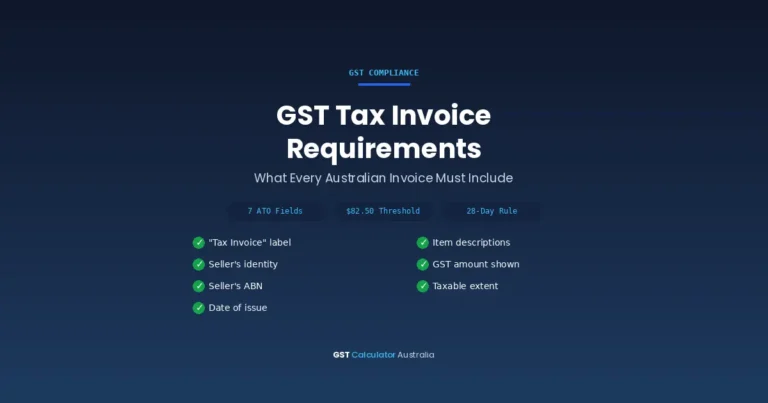
One more rule: to claim the GST on a purchase over $82.50, you need a valid tax invoice. Our tax invoice checklist shows what it must include.
Mixed bills: when one invoice needs two treatments
Some bills mix GST and non-GST charges. Phone bills can include international calls, which carry no GST. Council bills are mostly rates, which carry none, but some include a commercial rubbish fee with GST. Rego combines the government registration fee (no GST) with CTP insurance (GST included).
The ATO’s approach is simple: claim only the GST amount shown on the invoice. Most software lets you code the bill as GST and change the GST figure to match, or split it into two lines with different codes. Our guide to GST on cars covers the rego split in more detail.
Capital purchases and full reporting
On full reporting, your software also has to separate capital purchases (G10) from everyday expenses (G11), and export sales (G2) from other GST-free sales (G3). That’s what codes like MYOB’s CAP and EXP, or Xero’s GST on Capital, are for.
On Simpler BAS those splits aren’t reported. A capital purchase with GST, like a vehicle or a machine, is coded GST like any other purchase, and its GST goes to 1B.
A five-minute check before you lodge
- Run your software’s BAS or GST report and look at the biggest items under each code.
- Scan anything coded BAS excluded over a few hundred dollars. A business expense with GST sitting there is a credit you’ve missed.
- Make sure GST-free sales show up in G1 and haven’t been coded BAS excluded.
- Check that every purchase over $82.50 coded GST has a tax invoice.
- Review your bank feed rules. A rule that codes a supplier wrongly repeats the error every month.
For the errors that cause the most trouble at lodgement, see our guide to common BAS mistakes, and for due dates and lodging options, our BAS and GST returns guide.
Frequently asked questions
What does N-T mean in MYOB?
N-T stands for No Tax. MYOB describes it as the code for amounts with no GST, such as depreciation and cash transfers, and bookkeepers also use it for wages, super and loan repayments. It’s MYOB’s equivalent of Xero’s BAS Excluded and QuickBooks’ Out of Scope.
What is the difference between GST-free and BAS excluded?
A GST-free sale has no GST but is still reported at G1 on your BAS. BAS excluded covers amounts that sit outside GST altogether, such as wages, super, loans and transfers, and they don’t appear on the BAS at all.
What GST code do bank fees use?
The ATO’s Simpler BAS bookkeeping guide lists bank fees and charges as not subject to GST and not reported on the BAS, so they’re usually coded BAS excluded (N-T in MYOB). If a fee shows GST on the statement, code that fee GST and claim the amount shown.
Do GST-free sales go on the BAS?
Yes. GST-free sales are reported at G1 Total sales, along with your taxable and input-taxed sales. They don’t add anything to 1A, because there’s no GST in them.
What code do I use for a supplier who isn’t registered for GST?
Use a no-GST purchase code: GNR (GST Not Registered) in MYOB, or a GST-free purchase code in Xero or QuickBooks. There’s no GST in the price, so there’s no credit to claim, and the purchase isn’t reported on a Simpler BAS.
Which GST code do wages and super use?
BAS excluded, which is N-T in MYOB and Out of Scope in QuickBooks. Wages and super aren’t subject to GST, so they stay out of the GST section of your BAS.
Disclaimer: This guide is general information only, current as at October 2026. It is not financial, tax or legal advice. Software code names change with updates, so check your own file. For advice on your situation, talk to a registered tax or BAS agent or contact the ATO.